blog
19 Apr 2025

How to Use eSIM When Traveling Abroad

Using an eSIM when traveling abroad is a straightforward process that can save you money and hassle compared to traditional roaming. The key steps are: check your phone's compatibility,

purchase a plan from a provider, install it at home, and activate it when you arrive at your destination. Here is a step-by-step guide to using an eSIM for your next trip. 

Before You Go: Preparation is Key a ittle prep work at home will ensure you have a smooth experience.

1. Check Your Phone: Ensure your smartphone is both unlocked and eSIM-compatible .

• Compatibility: Most modern phones support eSIM. This generally includes iPhone XS and newer, Google Pixel 3 and newer, and Samsung Galaxy S20 and newer .

• How to check: On an iPhone, go to Settings > General > About. If you see an "EID" number, your phone supports eSIM. You can also dial *#06#; if multiple IMEI numbers appear, your device is eSIM-capable .

• Unlocked: Your phone must not be tied to a specific carrier. On an iPhone, you can check this at Settings > General > About > Carrier Lock. It should say "No SIM restrictions" .

2. Purchase Your eSIM Plan: Buy a plan from a global or local provider before you leave home .

• Types of Plans:

• Local: Best if you're visiting a single country .

• Regional: Ideal for trips covering multiple countries in one area, like Europe Southeast Asia .

• Global: Covers a vast number of countries worldwide .

• Data vs. Voice: Most travel eSIMs are data-only. For calls, use apps like WhatsApp, FaceTime, or Skype. If you need a local phone number, specifically look for a provider that offers plans with voice and SMS . A popular data-only option is Airalo, while Holafly offers unlimited data plans .

3. Install at Home: It's highly recommended to install the eSIM before you leave, while you have a stable Wi-Fi connection.

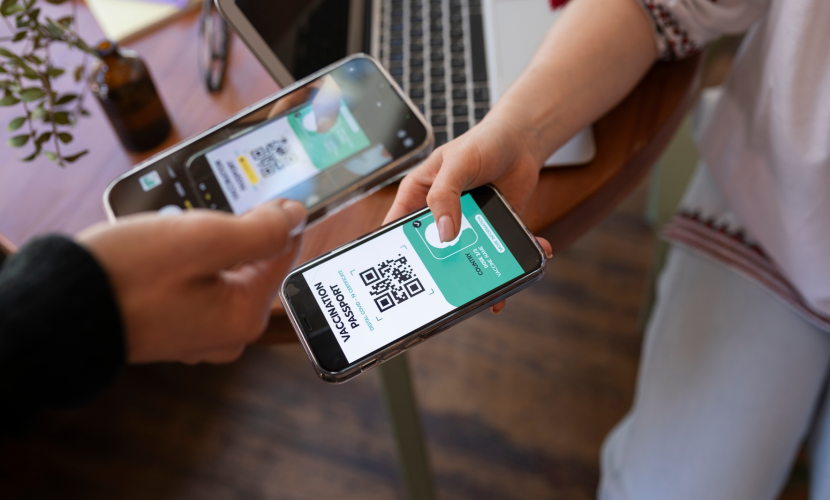
• How to install: The process typically involves scanning a QR code provided by your eSIM provider or using their app.

• iPhone: Go to Settings > Mobile Data > Add eSIM and scan the QR code .

• Samsung Galaxy: Go to Settings > Connections > SIM Manager > Add eSIM.

• Google Pixel: Go to Settings > Network & Internet > SIMs > + Add SIM.

• Tip: If you need to scan a QR code on the same device that received it, you can often take a screenshot of the code and then scan it from your photo gallery .Arrival and Activation Once you land, activating your eSIM is simple.

1. Turn On the Line: Go to your phone's mobile settings and enable the line for your travel eSIM .

2. Enable Data Roaming: This is a critical step for travel eSIMs. You must turn Data Roaming ON for that specific line .

3. Set it as Primary Data: In your settings, select your travel eSIM as the primary line for Mobile Data.

Tips for a Smooth Experience

• Manage Your Lines: A major benefit of eSIMs is the ability to use Dual SIM. You can keep your home SIM active for calls and texts (so you don't miss verification codes) while using the travel eSIM solely for data .

• Don't Panic If It Doesn't Work: If you don't ge t a signal immediately, try these quick fixes:

• Toggle Airplane Mode on for 30 seconds and then off again to force a network re-scan.

• Check that your APN settings are correct. Many providers use globaldata as the APN.

When You Return Home: When you get back, simply switch your default data line back to your primary SIM and turn off the travel eSIM line to avoid any accidental data use. iPhones with iOS 26 will even do this automatically for you. Different eSIM providers offer unique features.


“The Internet is the first thing that humanity has built that humanity doesn’t understand, the largest experiment in anarchy that we have everhad. Cybersecurity is not just about protecting your devices. ”

Why consumer development

Customer Development has tremendous benefits for organizations as it delays investing significant resources into building solutions until there is a proven, justifiable need for them and an assurance that the product will actually benefit the customer.

Global network security

Global network security can refer to a company that distributes security equipment or to the security of networks that span the globe. Global Network Security (GNS) is a distributor of major camera, access control, and cable manufacturers, both brand name and OEM.


We may use cookies or any other tracking technologies when you visit our website, including any other media form, mobile website, or mobile application related or connected to help customize the Site and improve your experience. learn more

Allow